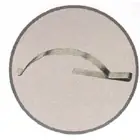
Slide Leaf Spring
SLSA spring-style retaining component used to apply tension against the screen frame.
Hardware determines how the finished screen seats in the opening and how you remove it later. Photograph the original screen before removal and use the existing hardware as your reference whenever possible.
These reference images correspond to the hardware choices available in the Screens 702 configurator. The abbreviation shown on each card is also used in the order summary.
A spring-style retaining component used to apply tension against the screen frame.
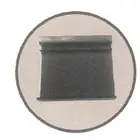
A small tab that gives you a grip point to remove the screen from the window opening.
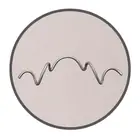
A retaining clip used on certain screen and window configurations to hold the frame in position.
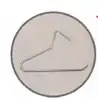
A spring component used to keep the screen secure while allowing removal when needed.
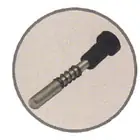
A pin-style retaining mechanism used on windows designed for plunger-mounted screens.
Screens 702 lets you specify hardware on the top, right, bottom or left side. Before removing the old screen, take a straight-on photo so you preserve its orientation. Then enter each piece from the same viewing direction so top, bottom, left and right are not accidentally reversed.
A screen can use one hardware type for retention and another for removal. For example, springs may hold one side while pull tabs make the opposite side easier to remove. Add each hardware assignment separately in the configurator.
The Screens 702 configurator recommends considering a crossbar when the larger finished dimension exceeds 47.5 inches. The configurator captures orientation and location so the fabrication instructions are clear.